Money manager for households

Your money and your home's, finally in one place.

Sparsy keeps your personal spending private and your shared household accounts in sync. Plan budgets, see where the money goes, and settle up without the spreadsheet.

  • Phone and computer
  • Any currency
  • English, Español, Deutsch
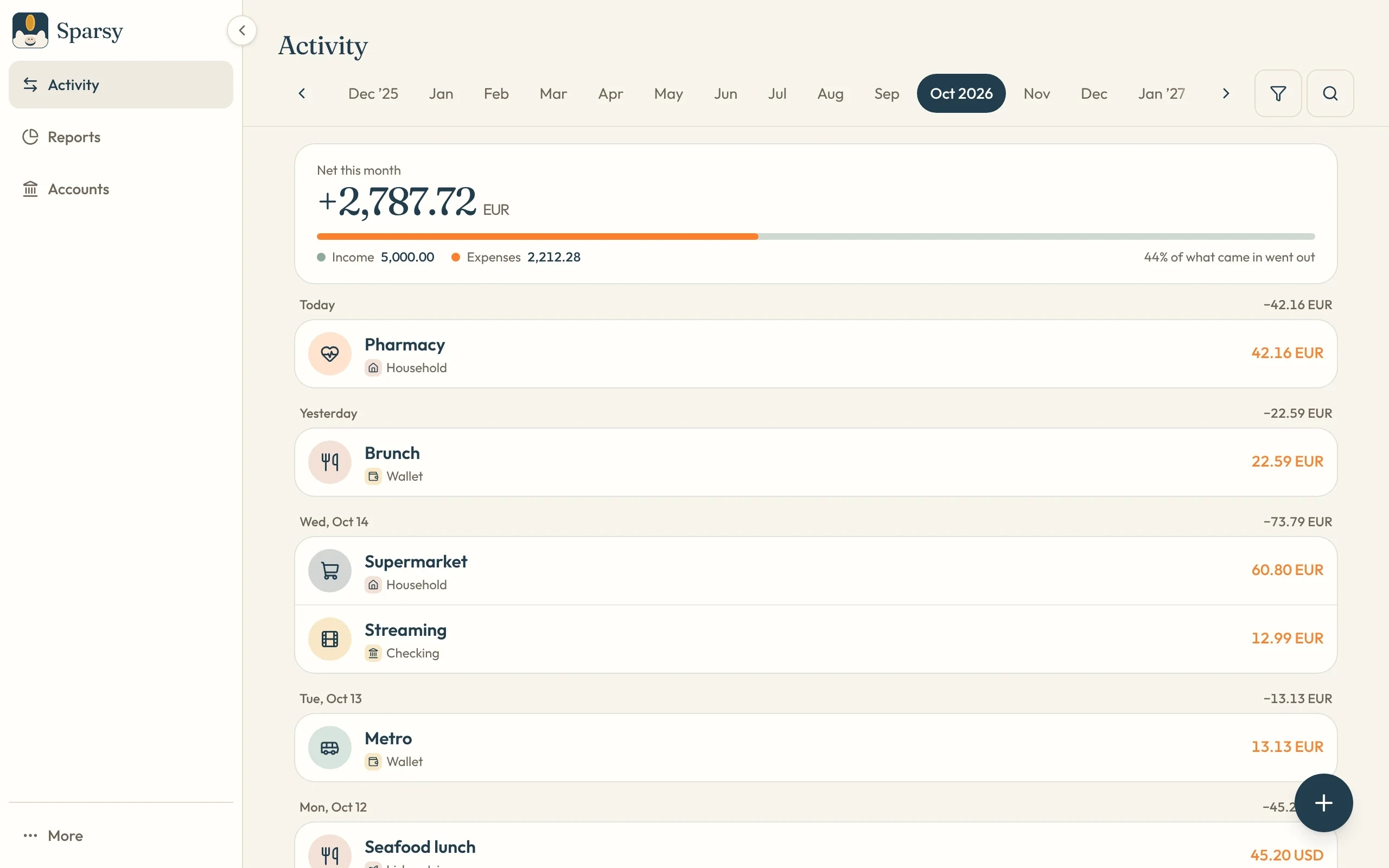
Sparsy's activity view on a computer, with a month's net total and the day's transactions
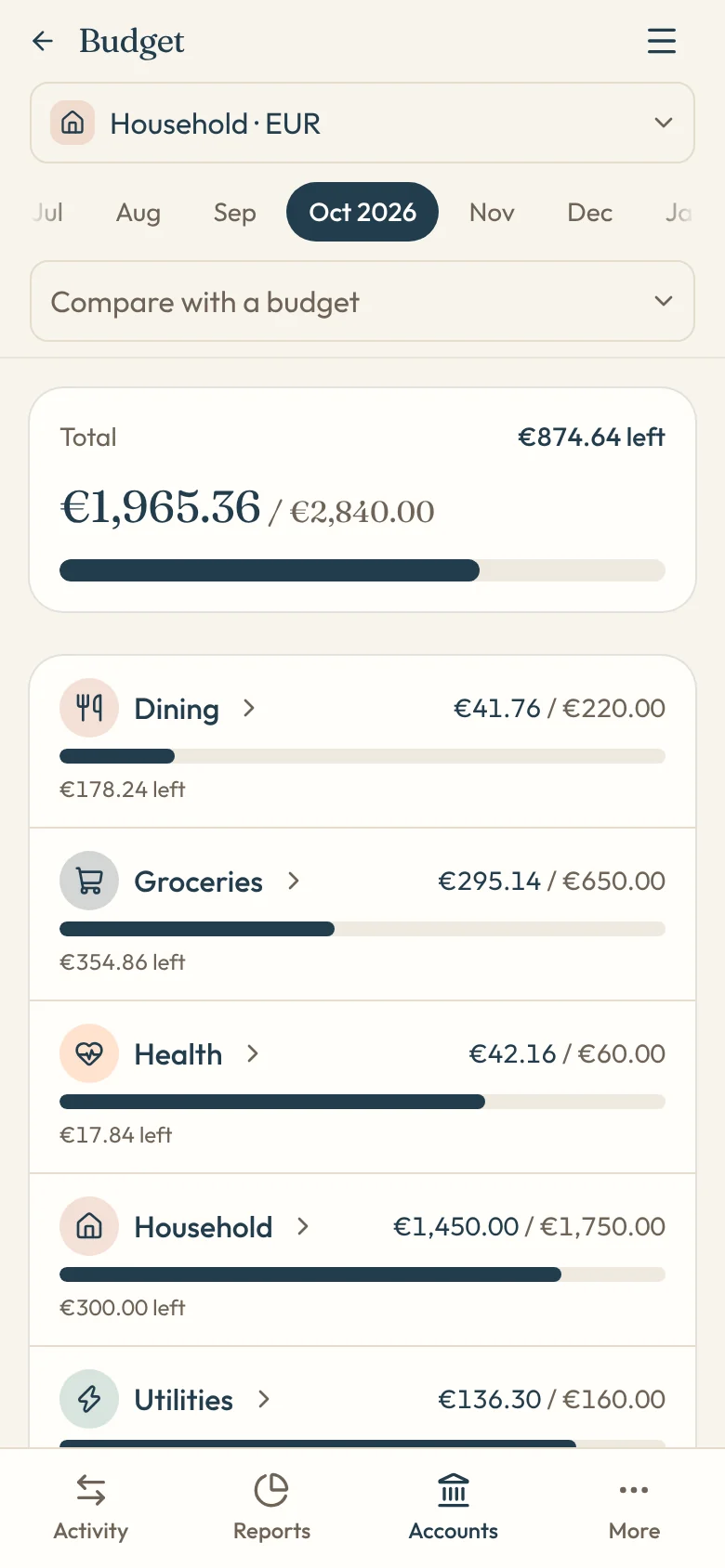
A household budget in Sparsy on a phone, with progress for each category
  • Private by default

    An account is yours until you invite someone.

  • Shared in real time

    Everyone on an account sees the same balance.

  • Works offline

    Add a purchase anywhere; it syncs when you're back.

  • No bank needed

    Sparsy works without connecting your bank.

Everything a household needs, nothing it doesn't

Built for couples, roommates and families who share some money and keep the rest to themselves.

Shared accounts

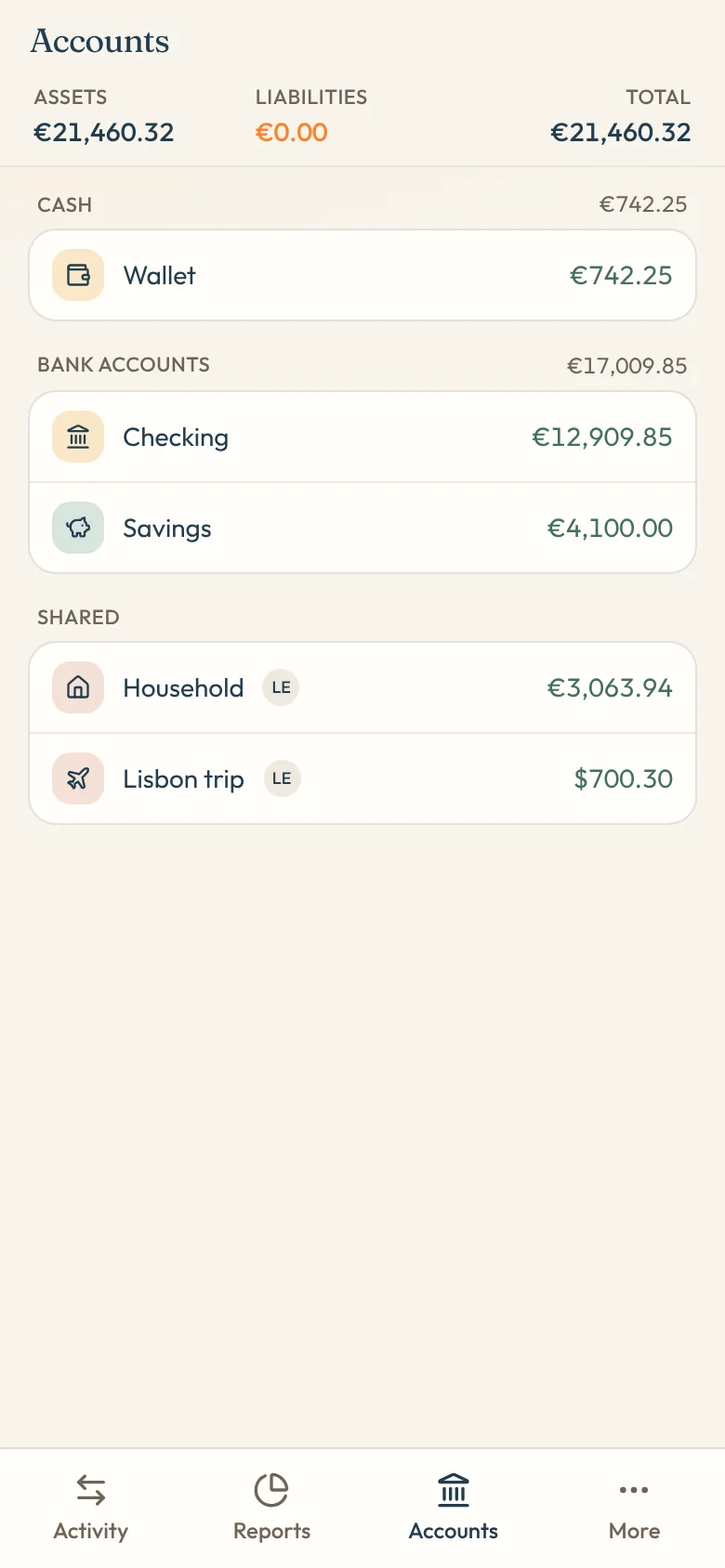
Share the household account, keep your wallet private

Invite your partner or roommates to the accounts you share. They see every rent payment and grocery run on it, and nothing on the accounts you keep to yourself.

  • Invite by email, they join with one tap
  • See who added each transaction
  • Track who paid and settle up later
Accounts in Sparsy grouped into cash, bank accounts and shared accounts, with a shared household account

Budgets

A budget you'll actually keep

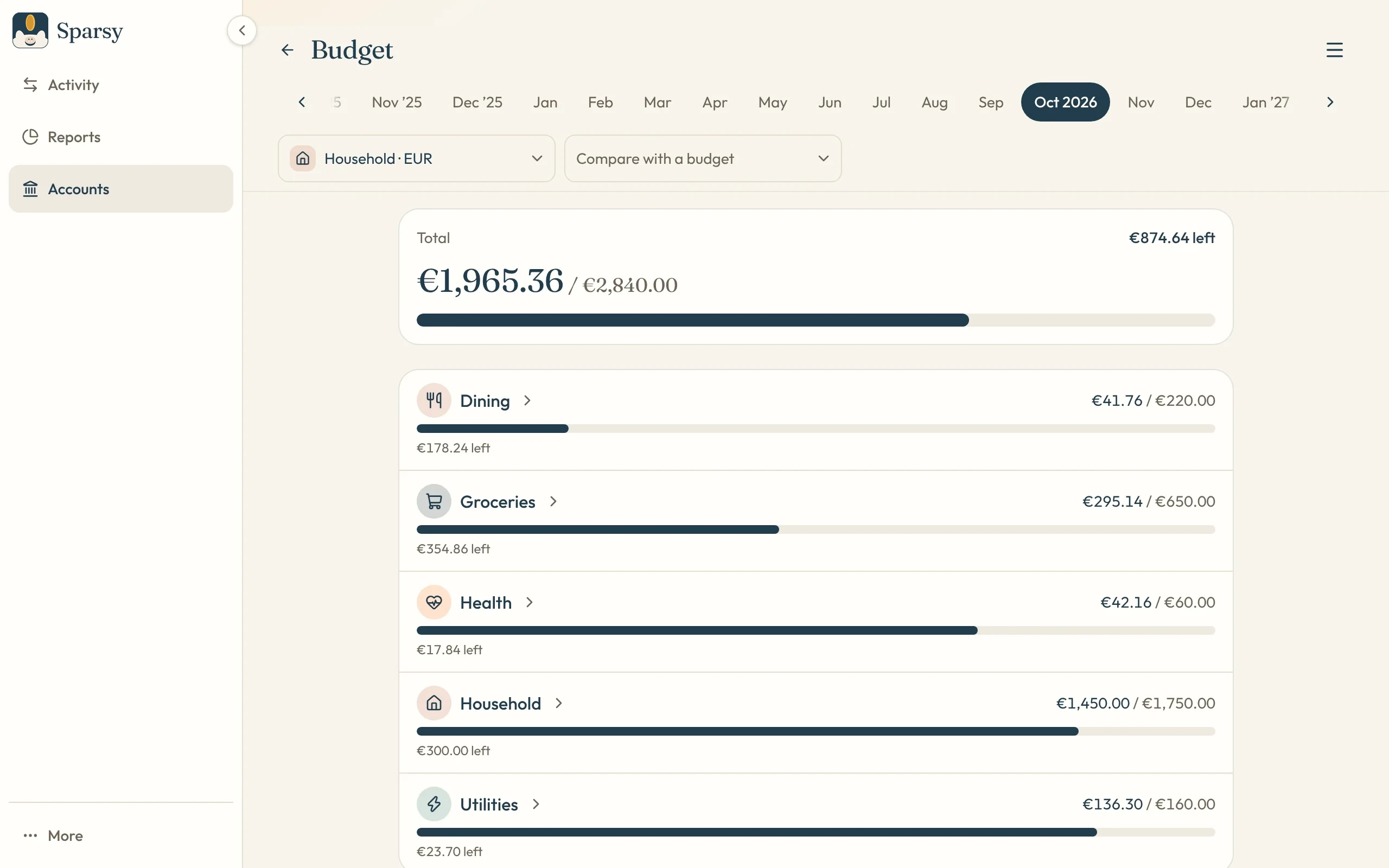
Plan each month by category and watch the bars fill as you spend. Budget a single account, a group of accounts, or everything you own at once.

  • Category and subcategory limits
  • Alerts before a category runs out
  • Tap a line to see the transactions behind it
A monthly budget in Sparsy with spent and remaining amounts for dining, groceries, health, household and utilities

Reports

See your month at a glance

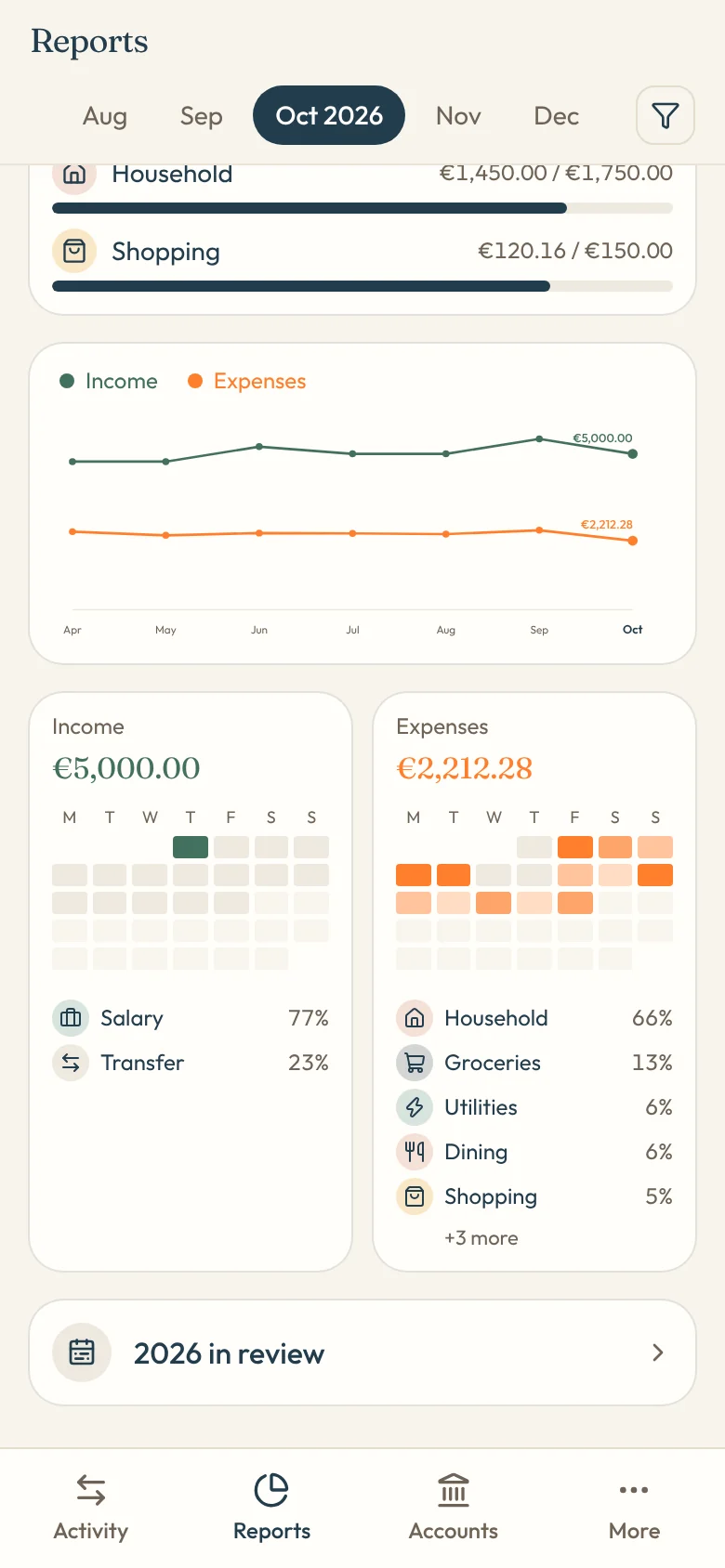
Income and spending trends, where the money went by category, and a calendar heat map that shows your busiest spending days.

  • Month-over-month trends
  • Daily heat maps for income and expenses
  • A yearly review of your money
Sparsy reports on a phone with a trend chart, daily heat maps and spending by category

Multi-currency

Every currency, one total

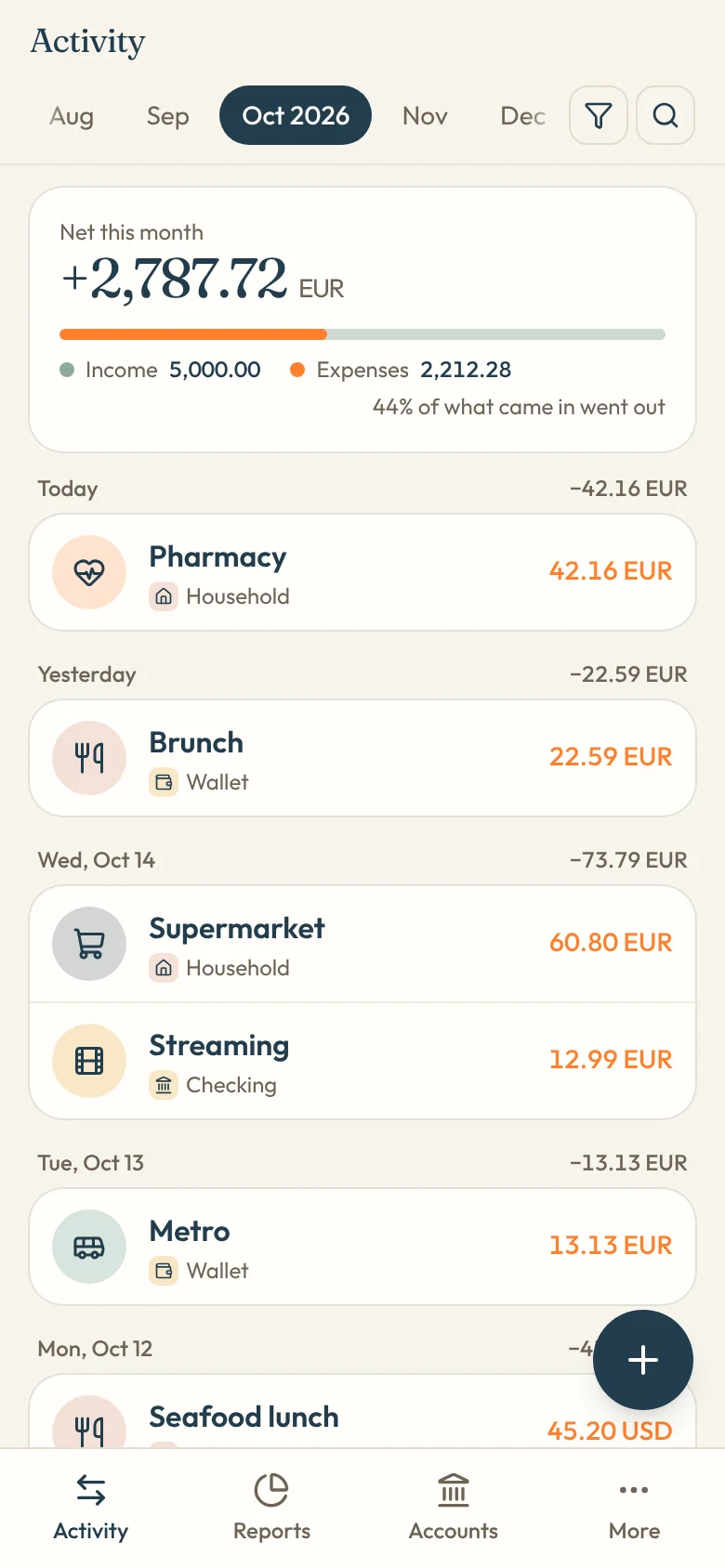
Keep a travel account in dollars and the rent in euros. Sparsy shows each account in its own currency and adds everything up in your main one.

  • Accounts in any currency
  • Your own exchange rates
  • Totals in your main currency
Sparsy activity on a phone with transactions in euros and US dollars

Installable app

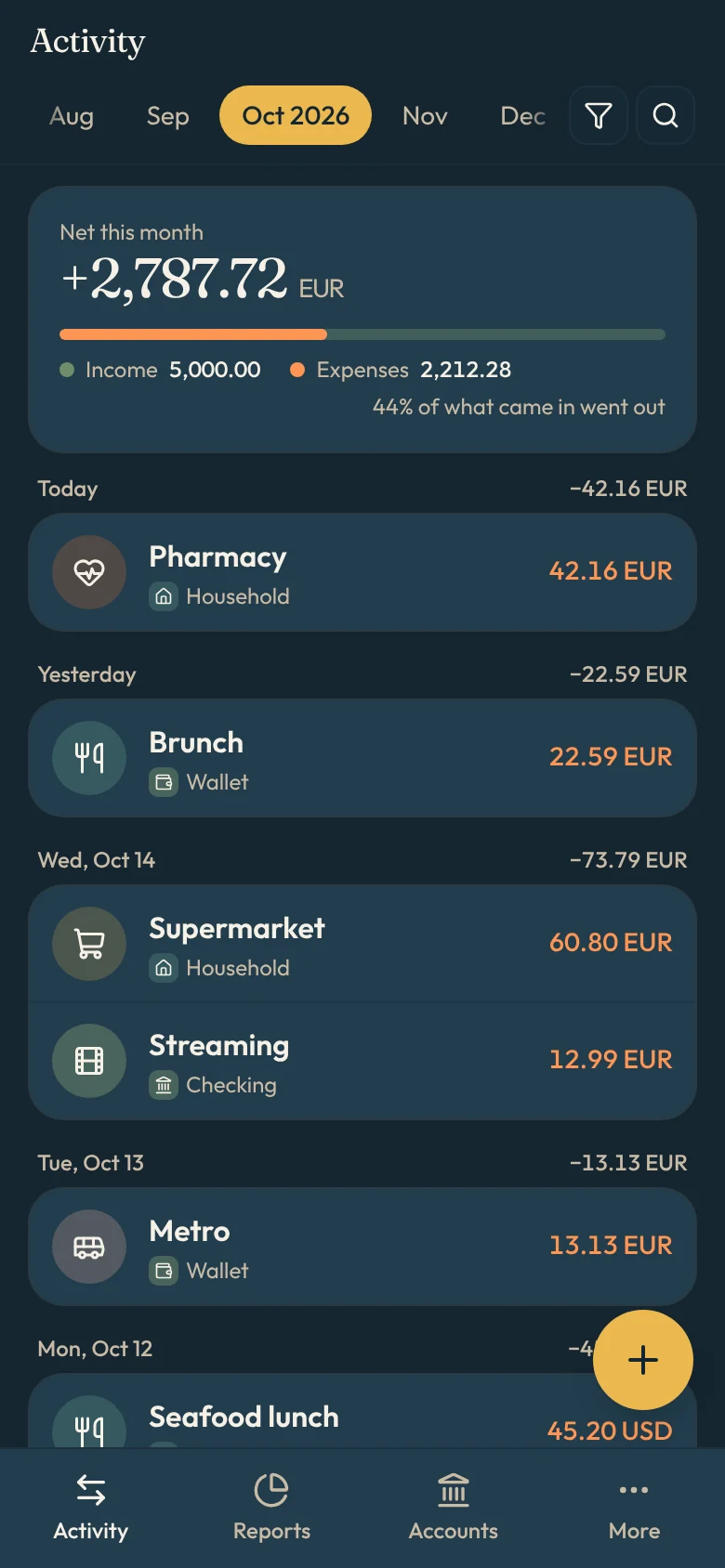
On your home screen, light or dark

Install Sparsy from the browser on your phone or computer. It opens like an app, works offline, and can remind you about bills before they're due.

  • Install from any modern browser
  • Add an expense in seconds
  • Light and dark themes
Sparsy in dark mode on a phone

And the little things that save you time

  • Edit many at once

    Select several transactions and change their date, account or category together.

  • Repeats and reminders

    Rent and subscriptions add themselves, and reminders nudge you before a bill.

  • Your colors and icons

    Give each category and account the icon and color you'll recognize at a glance.

  • Quick sign-in

    Use your email and password, or continue with Google or Apple.

  • Made for patchy signal

    Save transactions with no connection; Sparsy sends them when you're online.

  • Yours to delete

    Close your account any time and your personal data goes with it.

Our promise

Your household's money deserves an app you can trust.

Read the whole promise
  • No ads, ever

  • No bank needed

  • Your data is never sold

Up and running in three steps

  1. 1

    Create your account

    Sign up with your email, Google or Apple. You start with a wallet, a checking and a savings account.

  2. 2

    Add what you spend

    Log a purchase in seconds from your phone, or set up repeats for the bills that come every month.

  3. 3

    Invite your household

    Share an account with the people you live with and plan your budget together.

Questions, answered

Who can see my accounts?

Only you. An account becomes shared when you invite someone to it by email and they accept. Your other accounts stay private.

Does Sparsy connect to my bank?

It doesn't need to. You record transactions yourself, so Sparsy never asks for your bank password or card details.

Can I use more than one currency?

Yes. Each account has its own currency, and you set the exchange rates Sparsy uses to add them up in your main currency.

Is there an app to download?

Sparsy runs in your browser and can be installed to your home screen or desktop from there, on phones and computers alike.

Which languages does Sparsy speak?

English, Spanish and German. Pick one at the top of the page, or later in Settings.

Start keeping your household's money in order

Set up your accounts in a couple of minutes and invite your household when you're ready.